3.5 — Soil sealing
When soil becomes sealed
Page 1 / 6
What is sealing all about?
You’ve probably noticed sealed surfaces in your surroundings – such as parking lots, buildings, cycle paths, or tennis courts. But have you ever thought about what the soil beneath these surfaces looks like? Before we show you an example, we invite you to take a moment to reflect on what is meant by soil sealing.
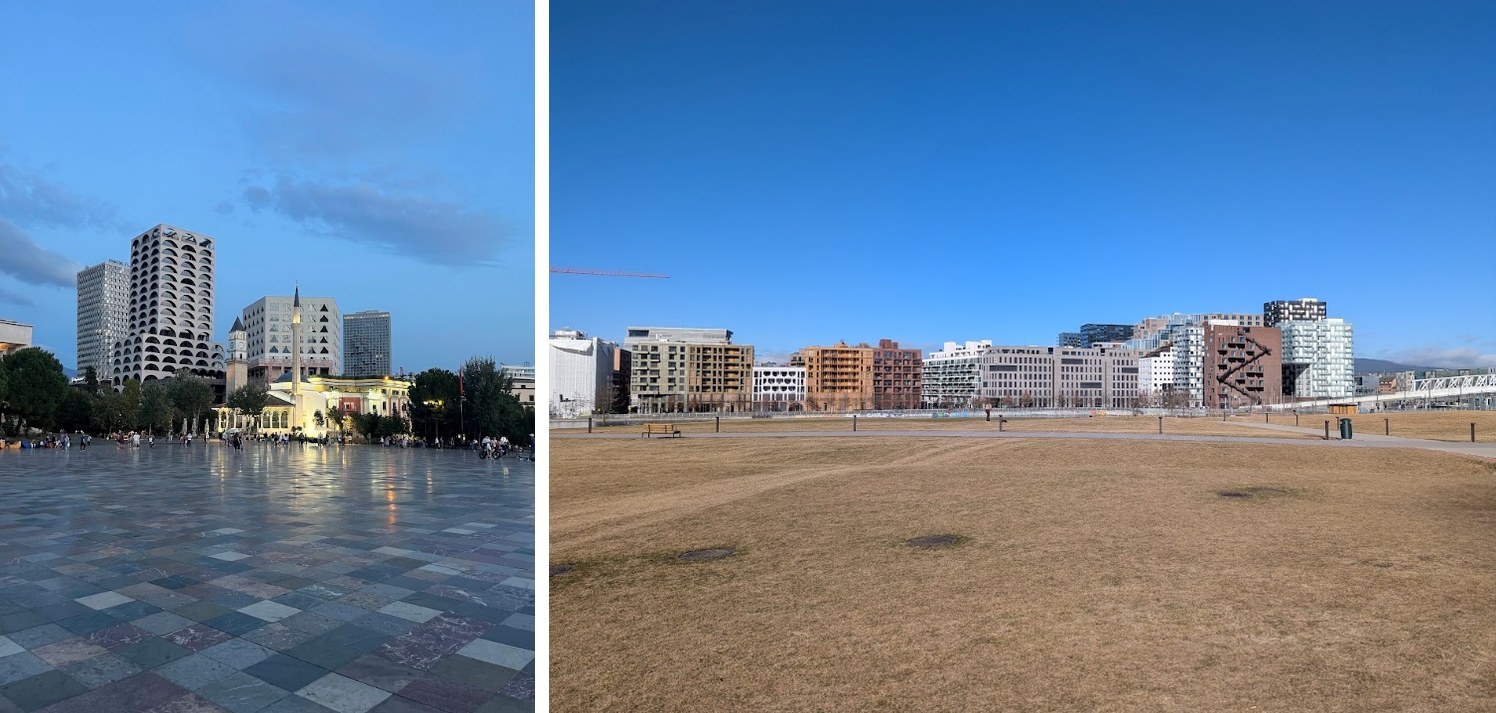
© Cities with sealed surfaces by Hanne Ugstad, NIBIO. The left photo shows Tirana, Albania; the right photo shows Oslo, Norway.
One possible and commonly used definition is as follows:
“Sealed soils can be defined as the destruction or covering of soils by buildings, constructions and layers of completely or partly impermeable artificial material (asphalt, concrete, etc.). It is the most intense form of land take and is an irreversible process” (Prokop et. al., 2011).
Soil sealing caused by anthropogenic land use is recognised as one of the major soil threats in Europe. The ongoing trend of increasing urbanisation is a key driver, resulting in land take and the artificial sealing of soils at the expense of functional soils that provide essential ecosystem services. Remember? You learned about ecosystem services in Module 1.
For understanding what soil sealing is, you need to get familiar with closely related concepts.
- Land take: Land take describes the increase of built-up areas over time, usually replacing rural land. It is often referred to as urbanisation and the spread of artificial surfaces. This can happen through the expansion of cities or the development of scattered settlements in rural areas (urban sprawl) (Prokop et al., 2011).
- Impermeable surfaces: Impermeable surfaces are surfaces through which water or gas cannot move. Common examples include pavements, streets, highways, rooftops, plastic sheets, glass surfaces.
Would you like to see how soil sealing looks like from below ground in Austria? Check out this 3D soil profile in Vienna which shows you how a road looks like down to 1 meter below the surface. Feel free to adjust your view by rotating or zooming in and out using the three-dot menu button at the bottom of the webpage.